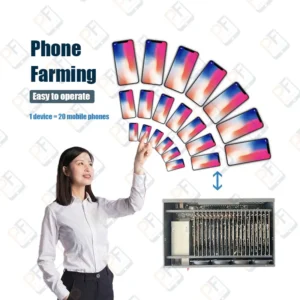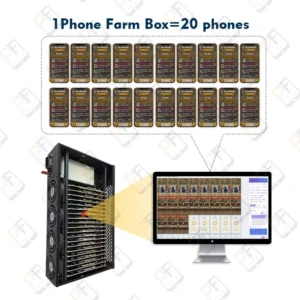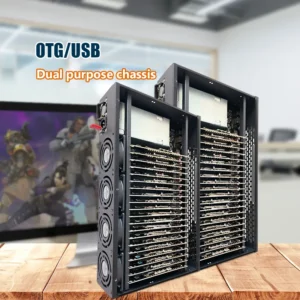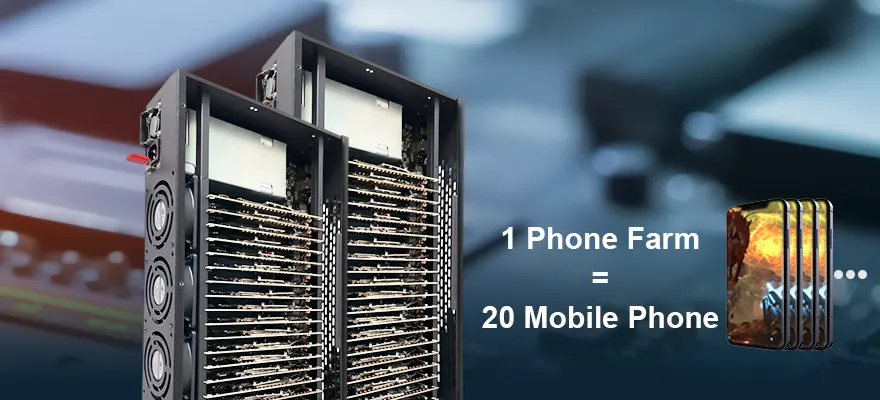



PF Phone Farm Software:
Multi-Device Automation
Cross-Platform Mobile App Automation /
Social Media Testing Simulation
- ADB-level automation without writing scripts – launch apps, tap, swipe, and reboot across hundreds of Android devices in parallel.
- Bulk app & APK management: install, update, or remove apps on groups of devices with a few clicks.
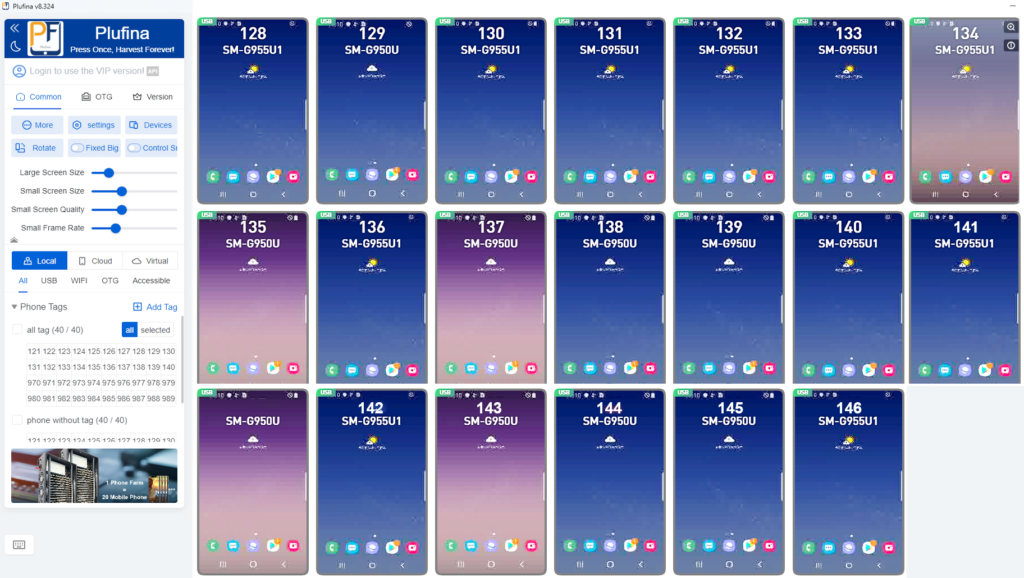
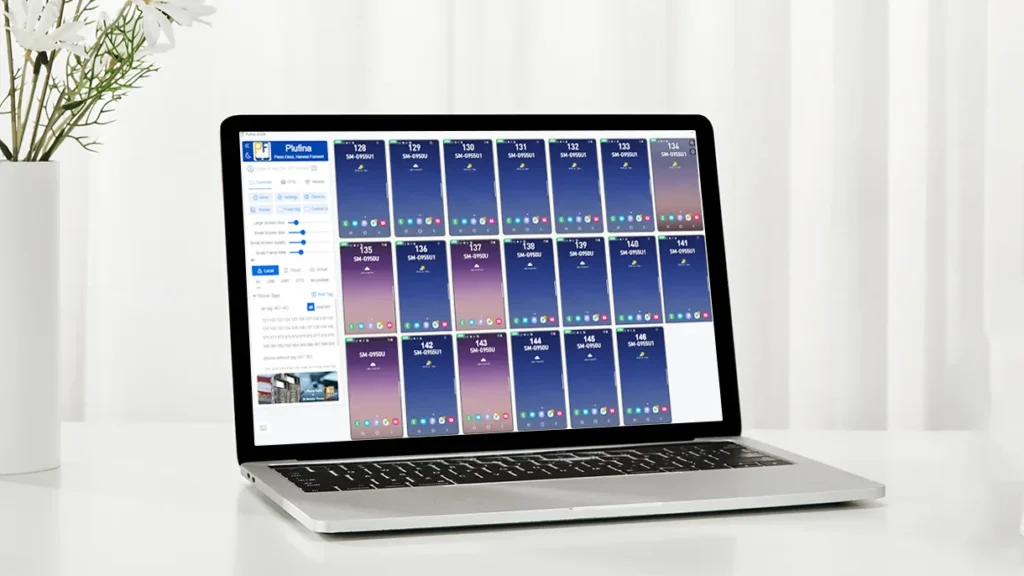
- Visual device grid: mirror screens, group by client or project, and monitor performance in real time.
PF – Ultimate Android Automation Platform
Scale Any Mobile App Workflow. No Limits.
Connect thousands of Android devices via USB to a single PC – and run parallel operations across any mobile app or testing environment.
One dashboard – hundreds of devices in sync
Real‑time monitoring with full multi‑device control
24/7 stable performance for large‑scale automation needs
Automated Device Provisioning
Batch device setup for testing environments – Pre-configure multiple Android devices with required apps and settings in one operation.
Scheduled Content Deployment
Queue and publish media files across multiple devices according to preset schedules – designed for legitimate marketing campaign management and content distribution testing.
Bulk Media Synchronization
Push images, videos, and documents to selected device groups – supports parallel deployment for large-scale testing environments.
User Profile Management for Testing
Update profile images and bio text across multiple test accounts simultaneously – designed for QA environments and demo data population.
Automated QA Interaction Flows
Define and run custom user interaction sequences (clicks, scrolls, form inputs) across hundreds of devices simultaneously – built for app stability testing, load simulation, and regression validation.
Test Profile Data Import
Bulk import test user profiles (name, email, preferences) from CSV/JSON files to populate multiple Android devices for QA testing, training, or demo scenarios. No live production credentials are stored or processed.
Device Recovery Automation
Automatically restore devices to a clean baseline state after each test run – ensures reproducible results for QA, continuous integration, and large‑scale validation.
Automated Device Initialization
Set Wi-Fi and language preferences across thousands of devices in one operation – streamlines lab preparation, classroom setups, and QA environment rollouts.
Carrier-Level IP Rotation
Assign carrier-grade IPs (4G/5G) to each device group. Ensure consistent network identity for location-specific app testing and ad verification.
Extensible Automation Framework
Build your own automation modules using standard JavaScript or Python scripts. Integrate with existing CI/CD pipelines, trigger actions via webhooks, or extend the dashboard with custom controls.
Custom Scripting & Integration
We write, test, and deploy custom automation routines for your unique use cases. From API connectors to bespoke device control logic.
24/7 Expert Assistance
Get help when you need it. Our technical team responds within hours, not days. Includes remote debugging, configuration reviews, and best-practice guidance.
Android Click Farm: Installation and Configuration Manual
- Do not reset or update the phone system.
- Do not turn off the USB debugging option
- or Root Phone Do not click on the update and installation of "Magisk".
1.Compatibility
- Computer system: Windows 10/ 11 , Mac
- To prevent port occupation, please uninstall mobile phone management applications and other software that can read the phone, and close or exit anti-virus software to avoid restricting the installation of management software.
- Plufina software download address:
2.Download Authorization File. Replace Authorization File.
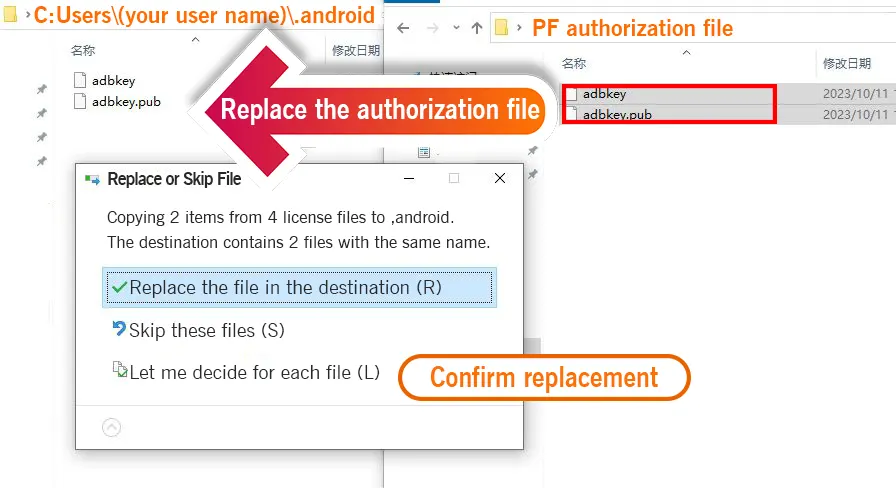
- Click to download the authorization file and unzip it (Download Code on Your Box)
- Replace the authorization file to “C:\Users\(your username)\.android”
- Plufina software download address:
- Authorization file download address:
3.Reset Computer
After the replacement is completed, you can try to restart the computer. Then turn on the power of the box and connect it to the computer USB port.
Note, please click “Allow” in the first screen mirroring unlock prompt box.
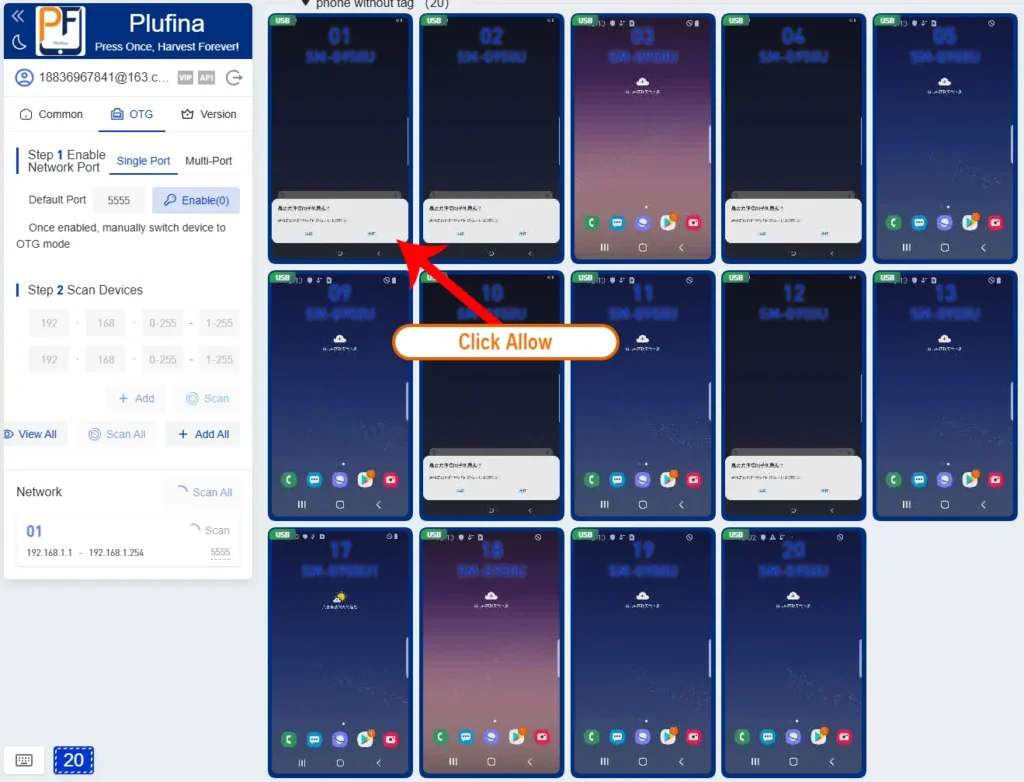
PF Software Help Centre
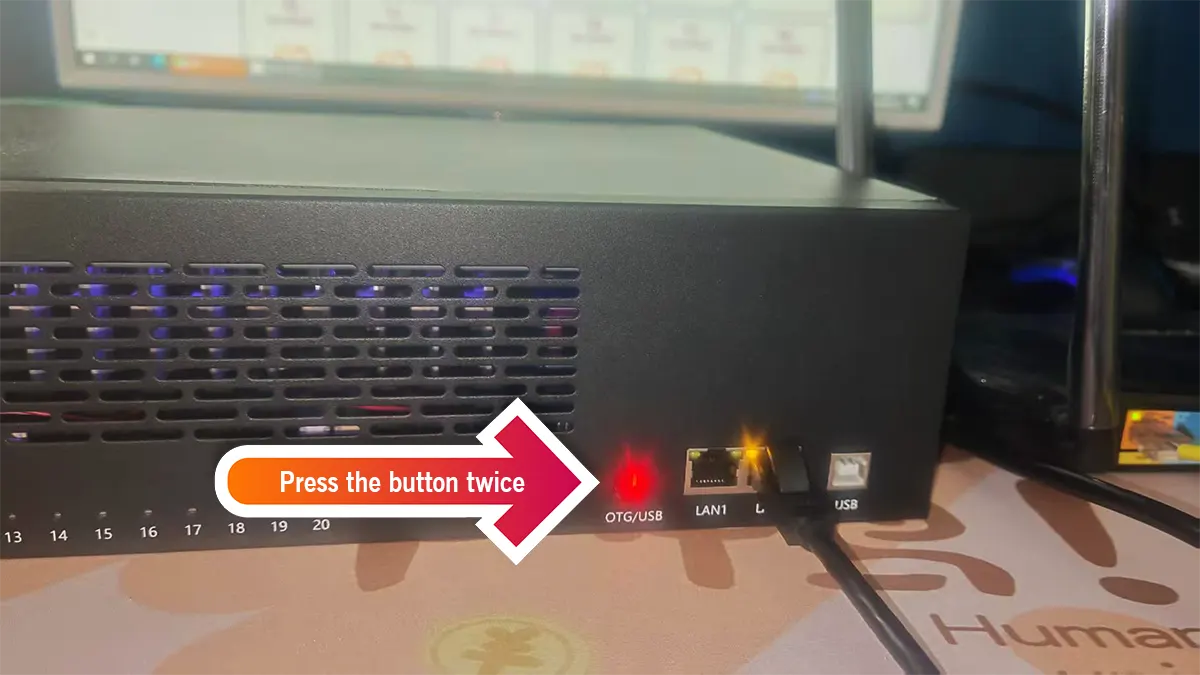
Blue light means usb mode ( connect via wifi )
Green light means otg mode (connect via ethernet)
4.How to set up OTG mode (connect via ethernet)
- pls turn off wifi when connect via ethernet
- Make sure that the box and PC are connected to the same routing device.
1) Find the Ethernet Settings.
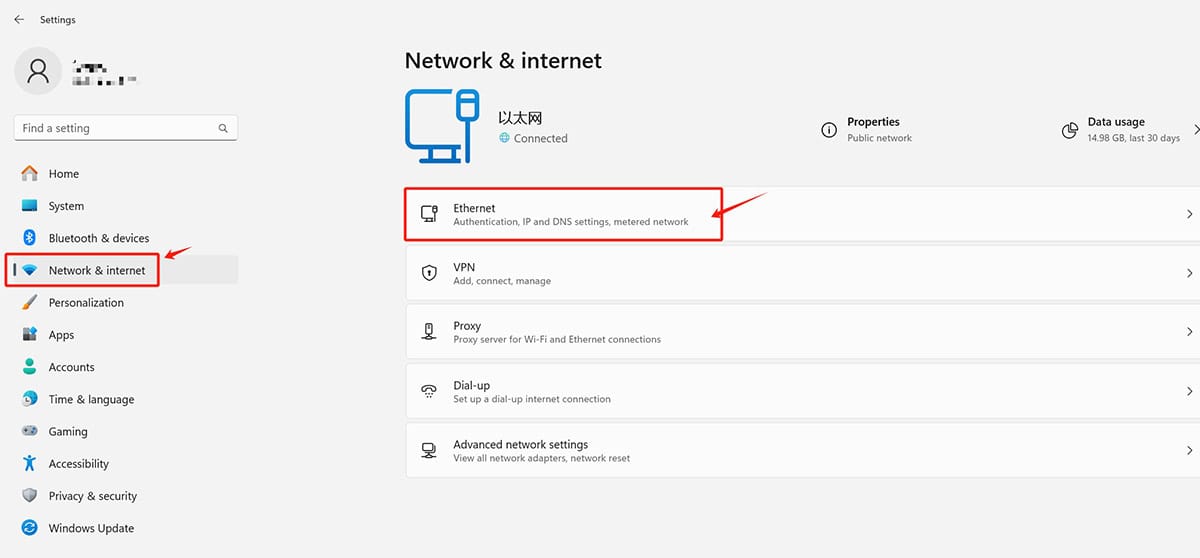
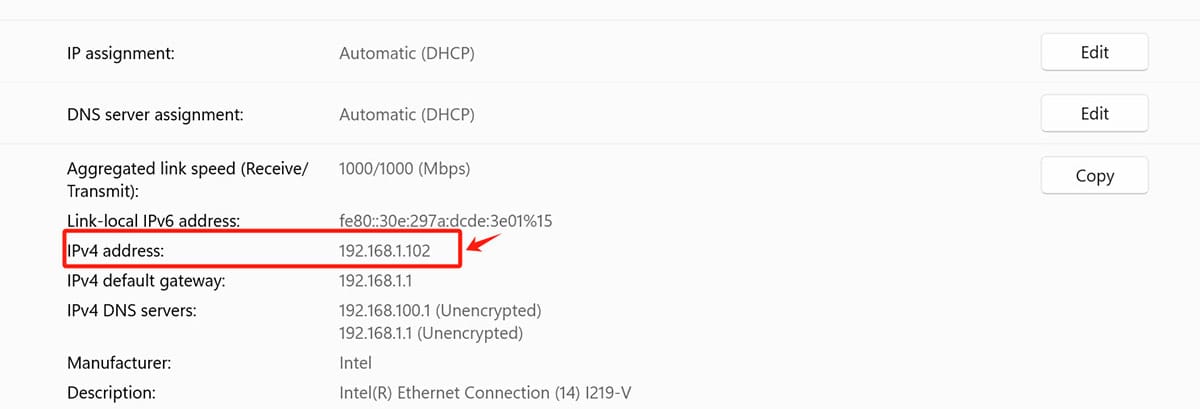
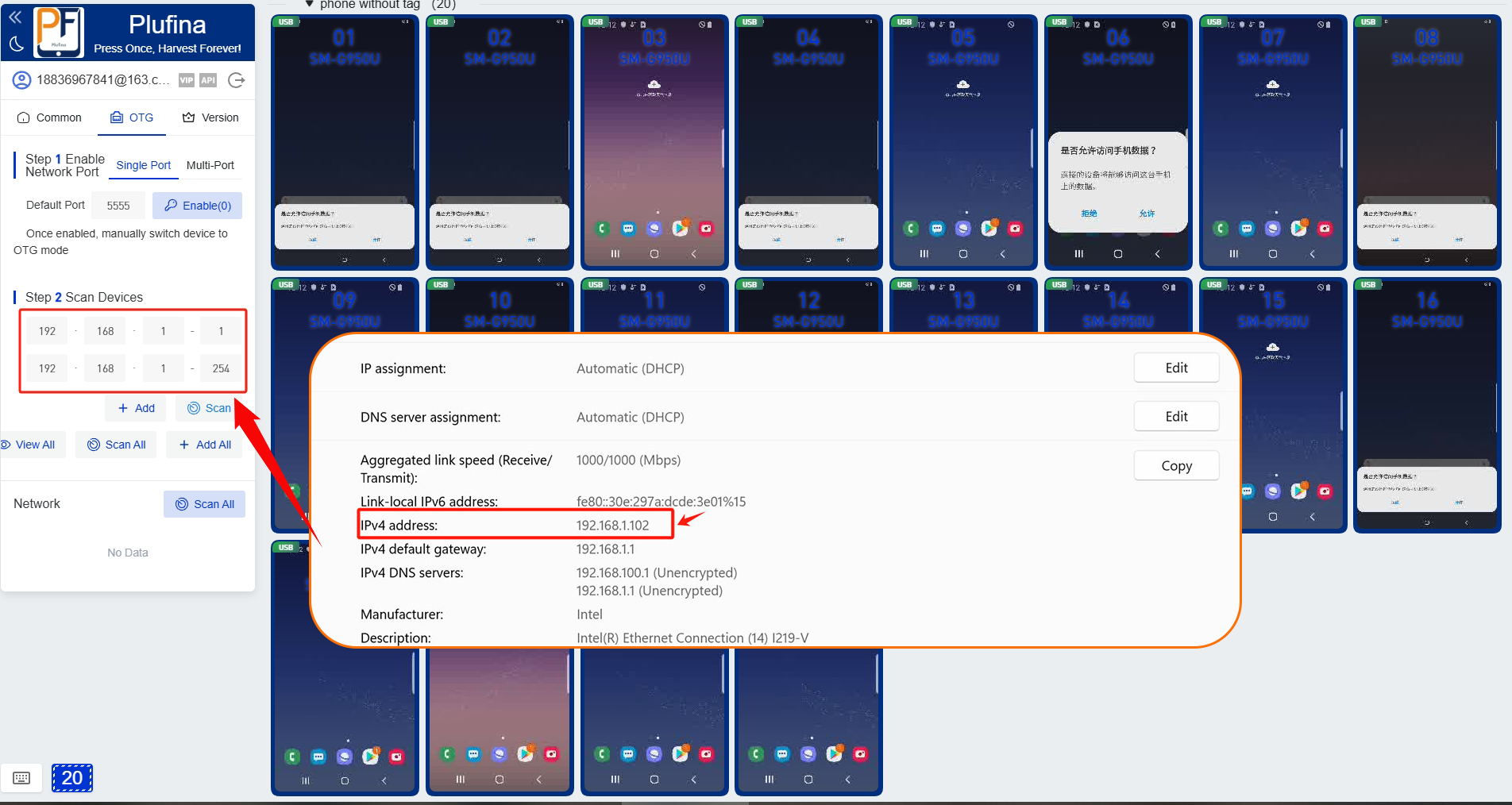
2) Find the 'OTG' section on the interface, then click 'Enable'.
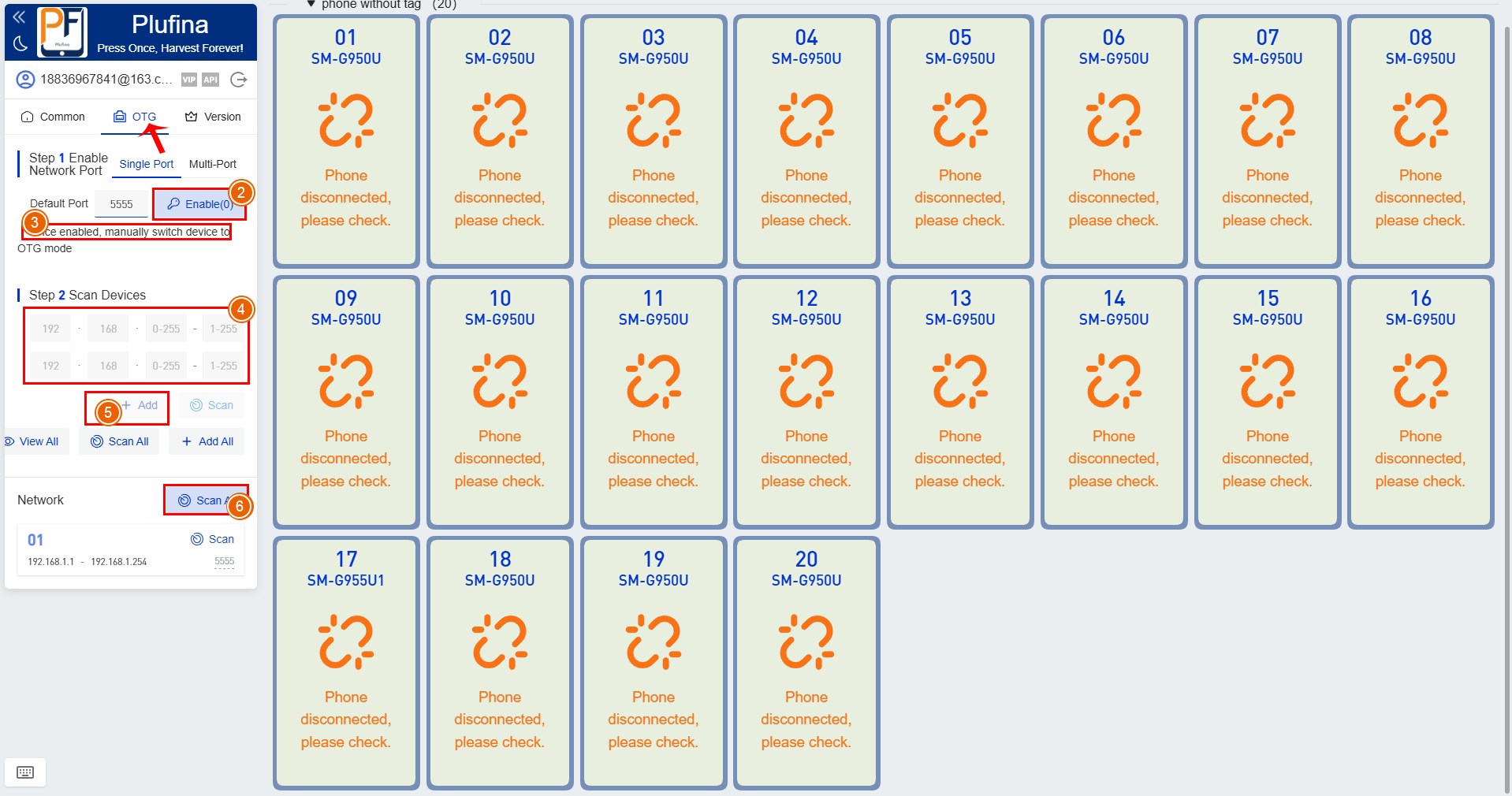
3) Press 2 times of switch button for the switch to OTG
4) Add the IP paragraph of the route
Add the IP paragraph of the route,for example as shown in the figure 192.168.1.1 Just fill in 192.168.1.1-192.168.1.254 in the corresponding box and click Add
Then in the list display, click Scan. If there are multiple network segments, add them multiple times and click One-click Scan.
5.To unlock additional features
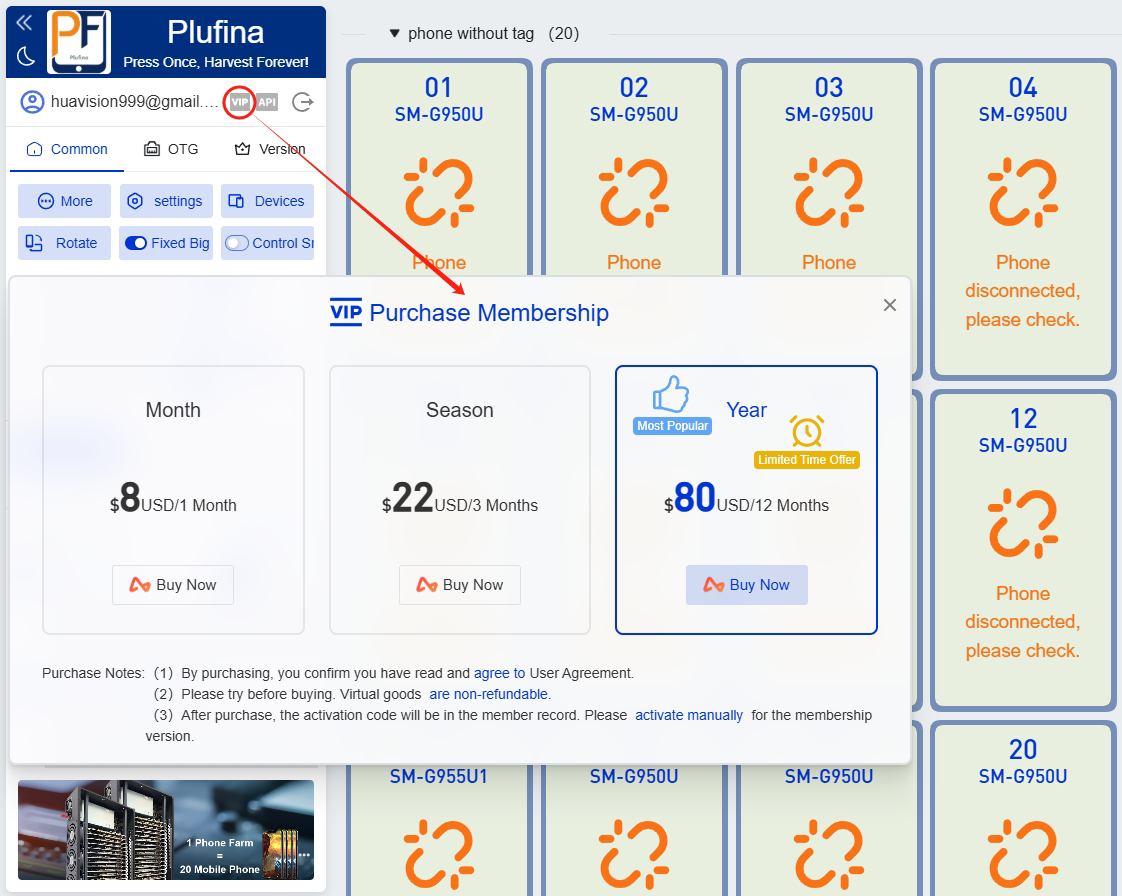
Thank you for purchasing the machine through our company. To give back to our users, we are offering 40 boxes of our software for free testing. the original price of 80USDT per year. for VIP is reduced to 38USD per year. For more features and discounts, please contact our specialist.
Phone Farm Automation Software Free Trial
Submit the Form to Get Instant Access.
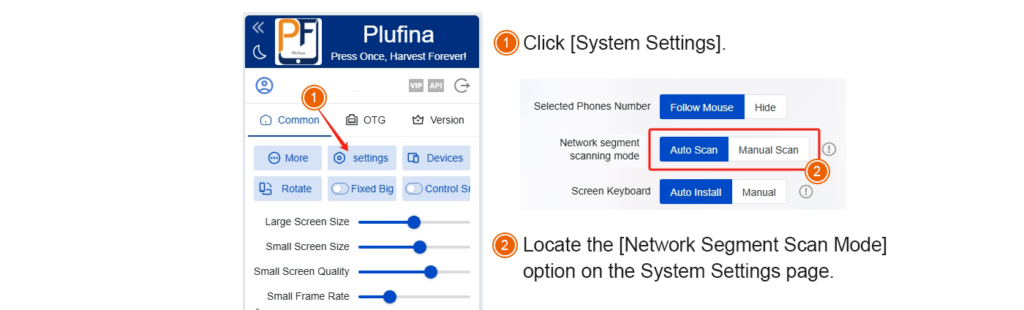
1.How to switch between automatic scan and manual scan?
- Automatic Scan: When mirroring in OTG or Wi-Fi mode, if Plufina restarts, it will automatically reconnect and mirror in OTG/Wi-Fi mode.
Manual Scan: When mirroring in OTG or Wi-Fi mode, if Plufina restarts, you need to manually scan the IP address to re-establish the mirroring connection.
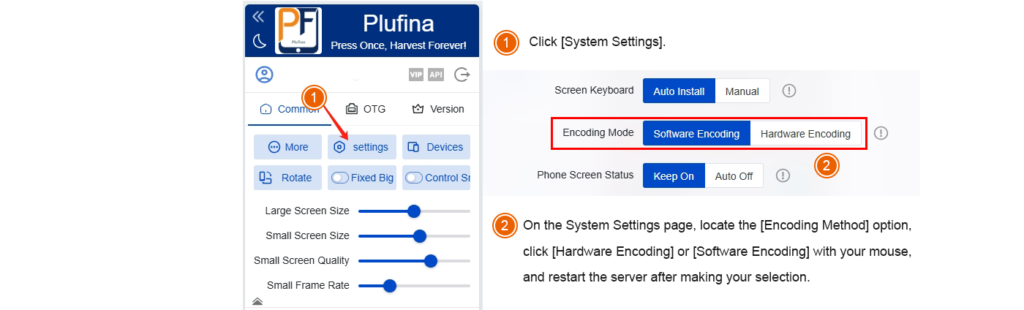
2.How to switch the encoding method for screen mirroring?
Software Encoding: Real-time video encoding (e.g., H.264/H.265) is performed via the phone’s CPU, relying entirely on software algorithms.
Hardware Encoding: Video encoding is performed via the phone’s dedicated hardware modules (e.g., GPU, DSP, or encoding chips).
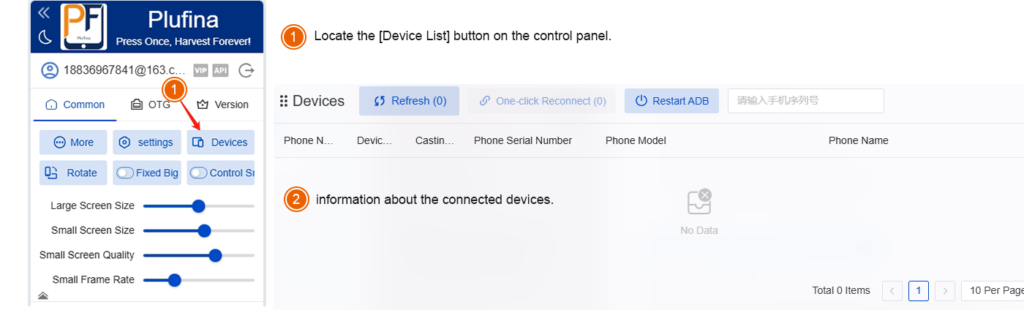
3.How to open the device list?
- Locate the [Device List] button on the control panel.
- After opening the device list, you will see information about the connected devices.
Q: What is Phone Farm software, and what does it do?
A: Phone Farm software is a tool used for managing and automating multiple social media accounts. It operates on a cluster of mobile devices (a “farm”) to simulate human behavior, automatically performing repetitive tasks such as browsing, interactions (e.g., liking, following), and content publishing. Its primary purpose is to increase the activity and exposure of social media accounts or to conduct data collection.
Q:The screen goes black after mirroring on your mobile phone, and you can't control it?
A:In the phone settings, set the standby time to be longer.
Q: Is there a free trial or demo available?
A: Yes, we offer a free trial that allows you to test the software’s basic compatibility and functionality at zero cost. Please note that the trial version may have limitations on features or the number of accounts available.
Q: Which social media platforms and automation functions does the software support?
A: The software primarily supports TikTok automation, with common features including batch account login, automated video browsing (e.g., scrolling through the “For You” page), liking, following, commenting, and more. Some software may also extend support to other short‑video platforms like Instagram and YouTube Shorts. Specific functions are subject to the official documentation of the software provider.
Q: How many devices/accounts can one license manage?
License models vary. Common approaches include tiered plans based on the number of devices (e.g., managing 20, 50, or unlimited devices) or the number of concurrently active accounts. Be sure to carefully review the license agreement before purchasing.
Q: If I encounter technical issues, what kind of support can I receive?
A: We provide standard technical support channels. For further technical assistance, please contact: [email protected]
You can download group control software from our Our official website:
Who This Software Is For?
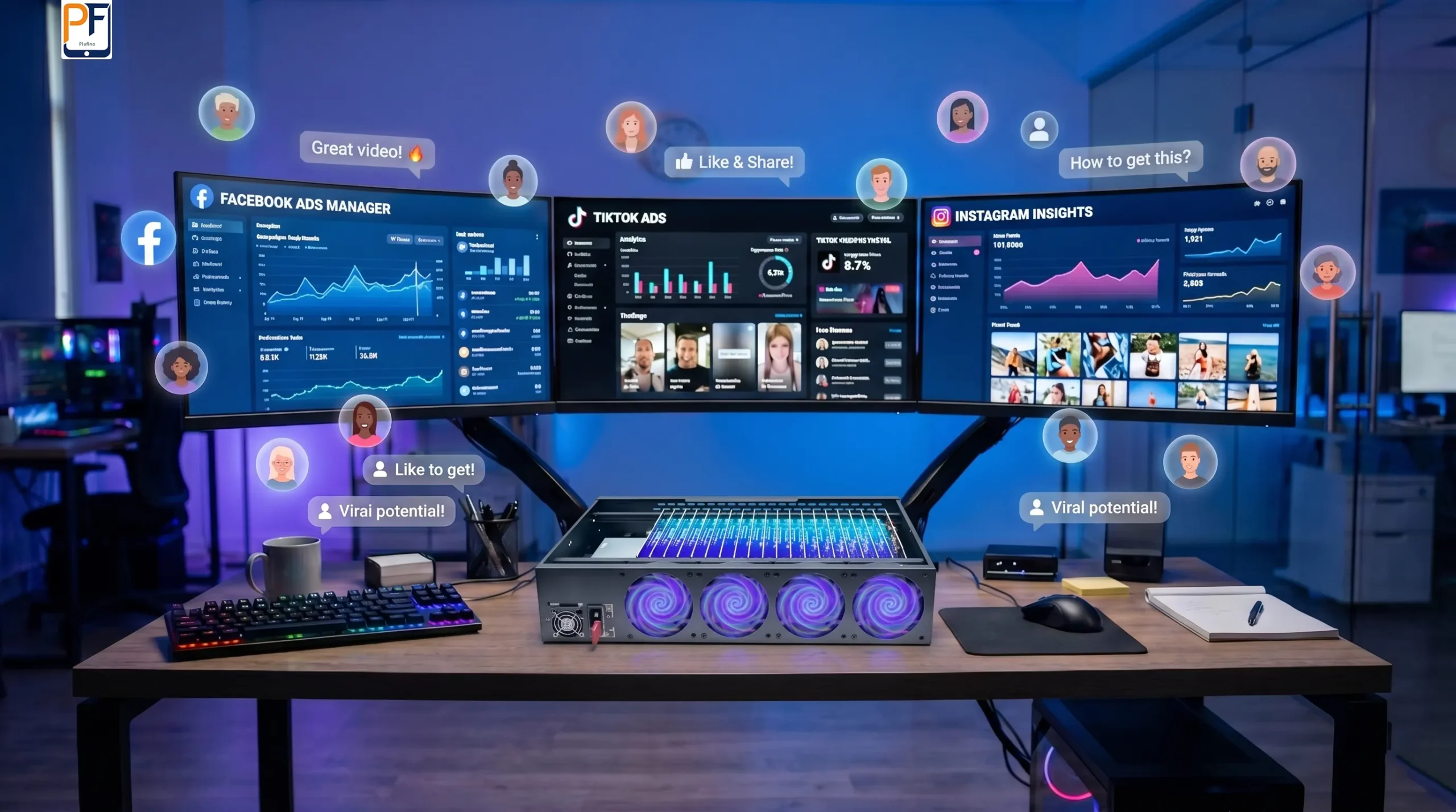
Creator studios & UGC teams
Run multiple accounts and channels across many devices, test content faster, and stop wasting hours tapping screens by hand.
Agencies & growth teams
Coordinate campaigns across dozens of devices, validate creatives and funnels, and deliver results for clients without building your own tooling from scratch.

QA & app testing teams
Treat our phone farm box + software as your in‑house device lab for regression tests, cross‑device checks, and real‑world network conditions.
Let's design your profitable automation system.
 phone farm box
Box Farm Solution: S8+ 20-Node Cluster with Stable Snapdragon 835
$699.00 Add to cart- phone farm box
Phone Farming: S9+ with Snapdragon 845 & 128GB for Heavy Workloads
$942.00 Add to cart - phone farm box
Mobile Farms Solution: N9+ Professional Box for Automated Multi-App Operations
$998.00 Add to cart