


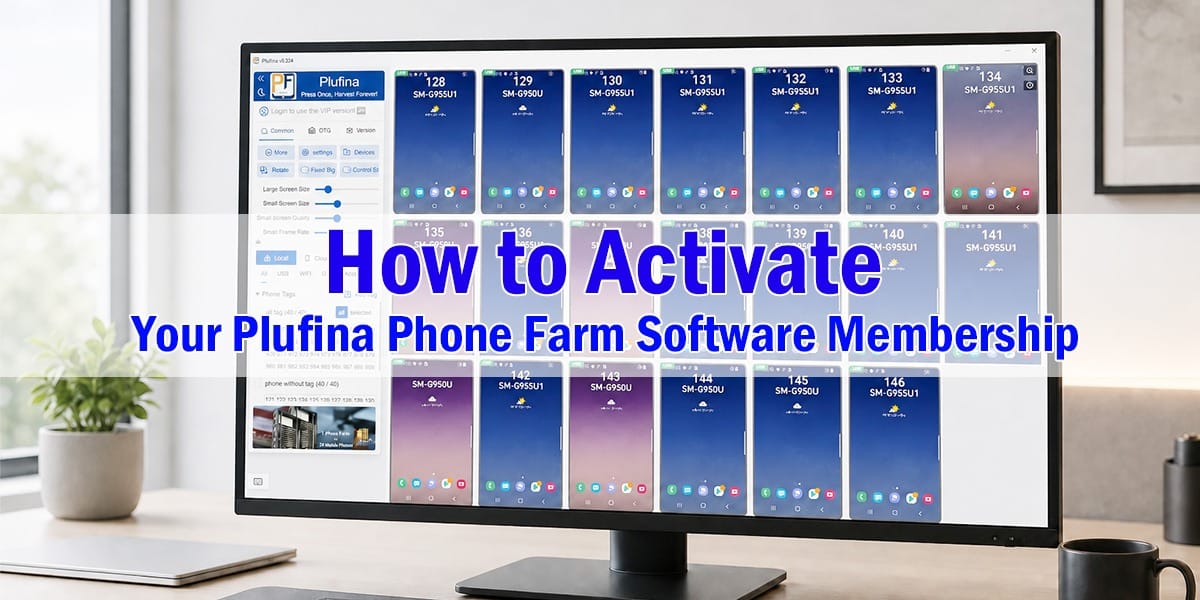
Plufina is a multi-device screen mirroring and phone farm software solution designed to help users manage and mirror multiple Android and iPhone devices from one computer. After purchasing a Plufina membership, follow the steps below to activate your license code and unlock premium features.
1.Activate from the Membership Page
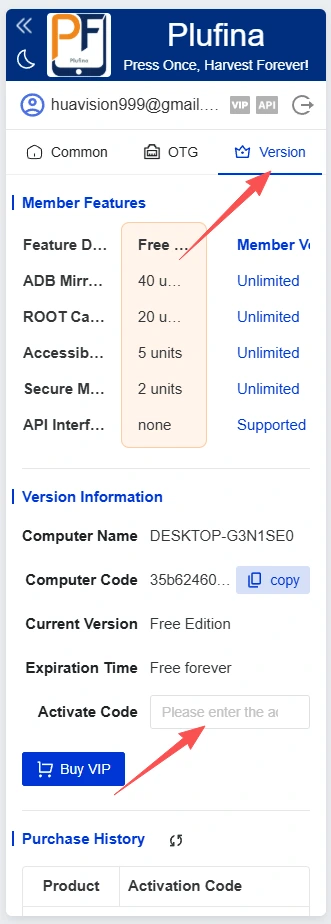
- Open the Plufina phone farm software on your computer.
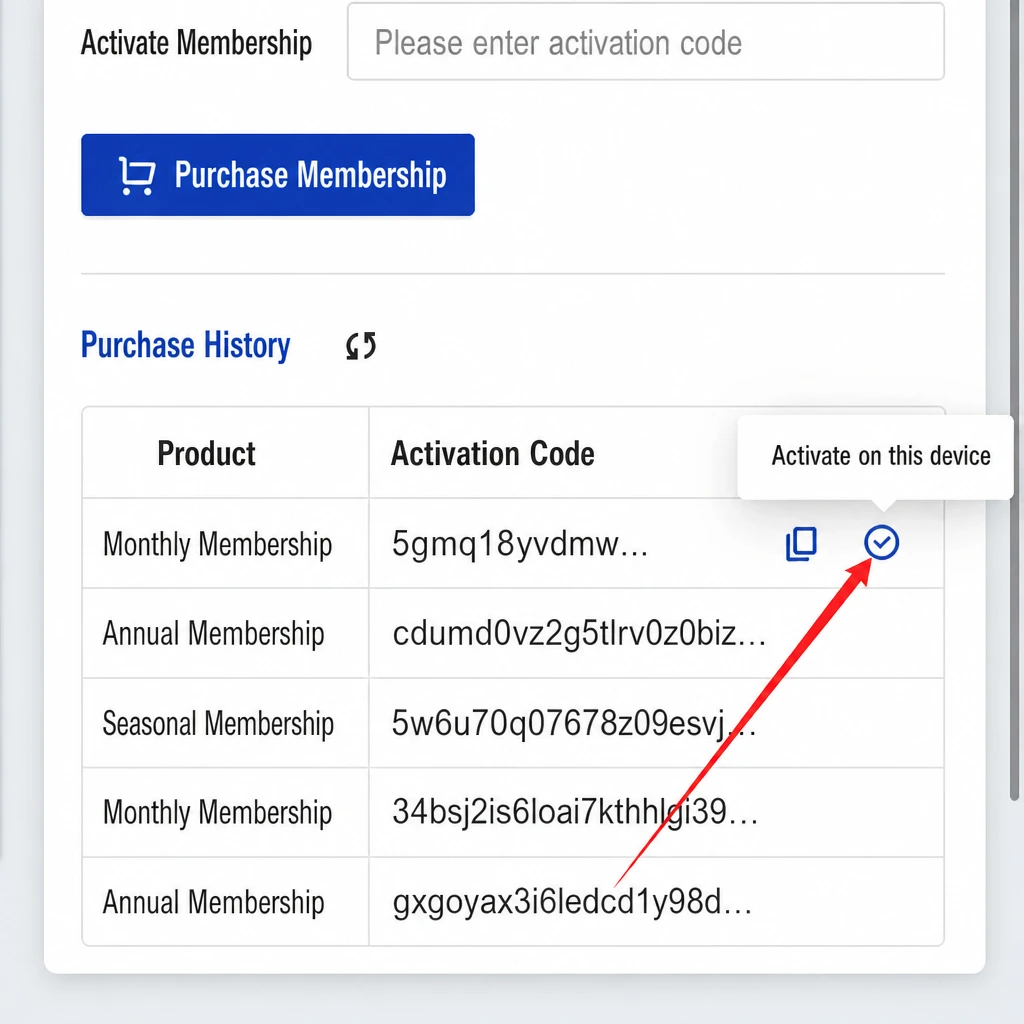
- Go to the Control Panel and click the Membership tab.
- Under the Membership page, locate your Purchase History.
- Move your mouse over the activation code you want to use.
- Click the Activate button when it appears.
- Your Plufina membership will be activated, and premium screen mirroring features will become available.
2.Activate from My Account
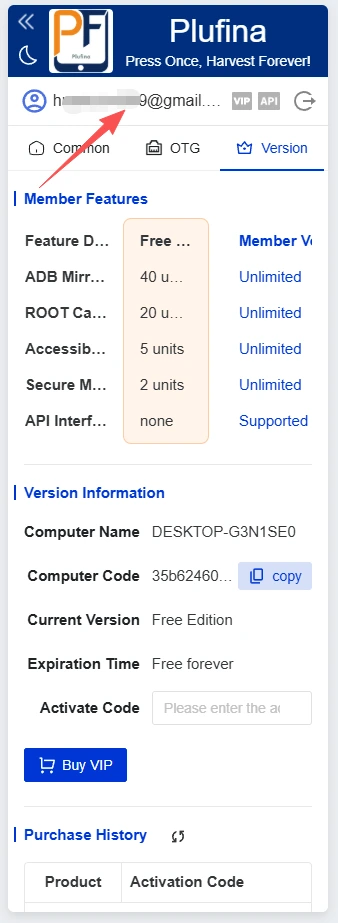
- Open Plufina and click your signed-in account name or profile icon.
- Go to the My Account page.
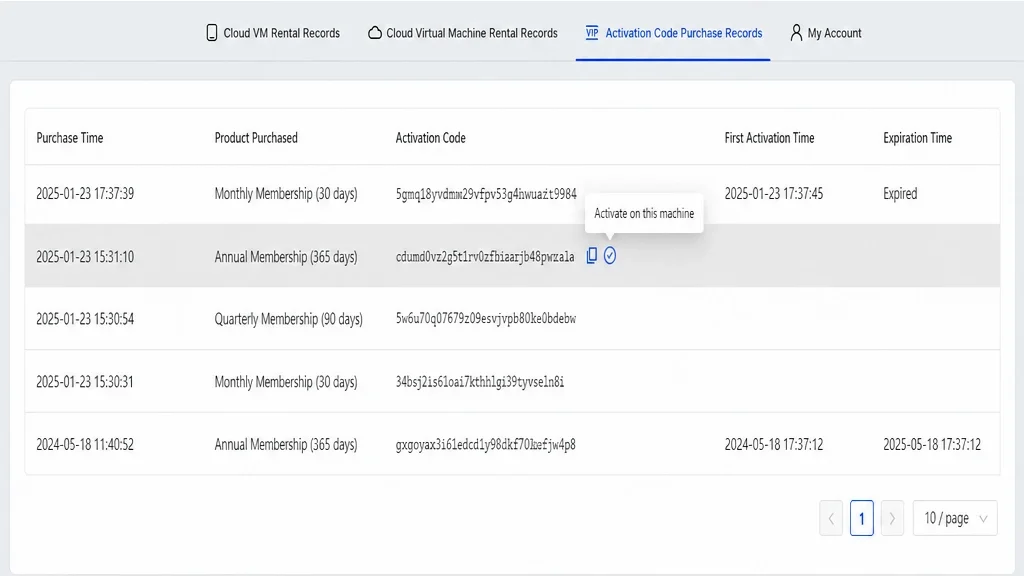
- Click Activation Code Purchase History.
- Find the membership activation code you purchased.
- Hover over the code and click Activate.
- Return to the Membership page to confirm that your subscription is active.
Important Notes
- Log in with the same Plufina account used to purchase the membership; otherwise, your activation code may not appear.
- If you cannot find your code, log out, sign in again, and check your purchase history.
- Do not share your activation code with others.
- If activation fails, take a screenshot of the error message and contact Plufina support.
- Plufina can be positioned as phone farm software, multi-phone management software, or Android and iPhone screen mirroring software where those labels accurately describe the actual functions offered.