


The Moment I Knew I Needed a Change
It was 2:37 AM, and I was staring at 23 phones spread across my dining room table. Each one needed attention—swiping ads, restarting apps, checking for crashes. My coffee had gone cold hours ago, and my eyes felt like sandpaper.
I’d been running social media accounts for clients across TikTok, Instagram, YouTube, Facebook, and X for about two years. What started as a fun side hustle had turned into a full-blown operation. But here’s the thing: managing dozens of accounts manually? It doesn’t scale. Not even close.
That night, I made a decision. There had to be a better way. That’s when I discovered the world of phone farms.
What Exactly Is a Phone Farm?
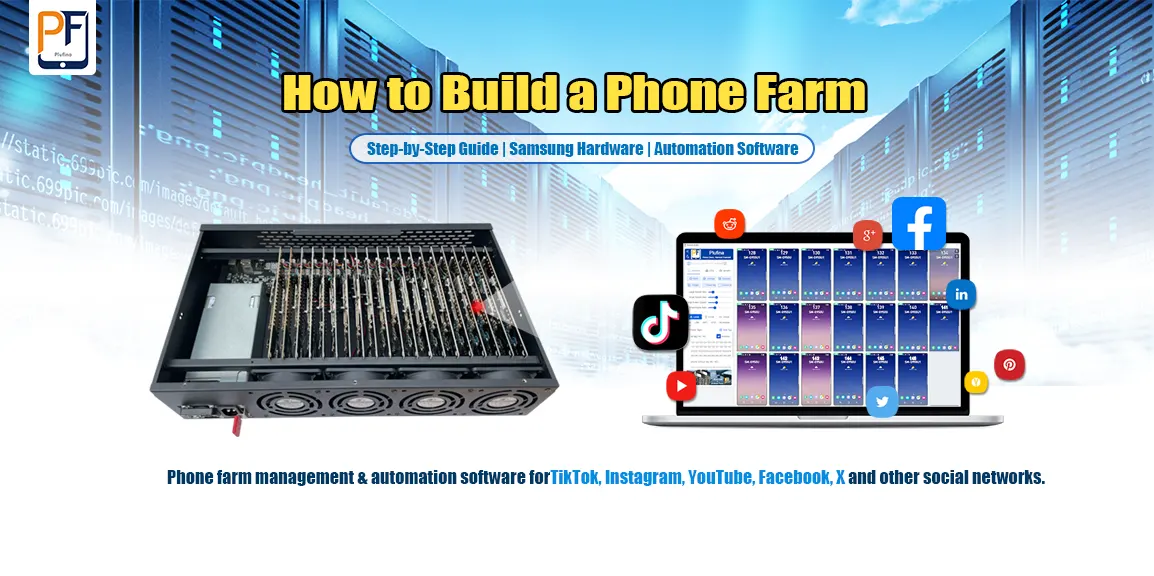
If you’re new to this concept, let me break it down simply. A phone farm is exactly what it sounds like—a collection of smartphones working together to automate tasks. Think of it as your own personal server rack, but instead of expensive servers, you’re using affordable Android devices.
For social media managers like us, a phone farm means running multiple accounts across different platforms without going insane. Each phone handles specific tasks: posting content, engaging with followers, running ads, or monitoring analytics. And the best part? You control everything from one central computer.
But here’s what I learned quickly: hardware is just the beginning. The real magic happens with the right phone farm software.
The Setup That Finally Worked
After weeks of research and testing, I landed on a combination that actually works. Let me walk you through my current setup—the same one I’d recommend to anyone serious about scaling their social media presence in 2026.
Step 1: Getting the Right Hardware
The foundation of any good phone farm is reliable hardware. After my initial “DIY Disaster,” I realized that mixing random phone models was a recipe for constant headaches. I needed stability and uniform performance.
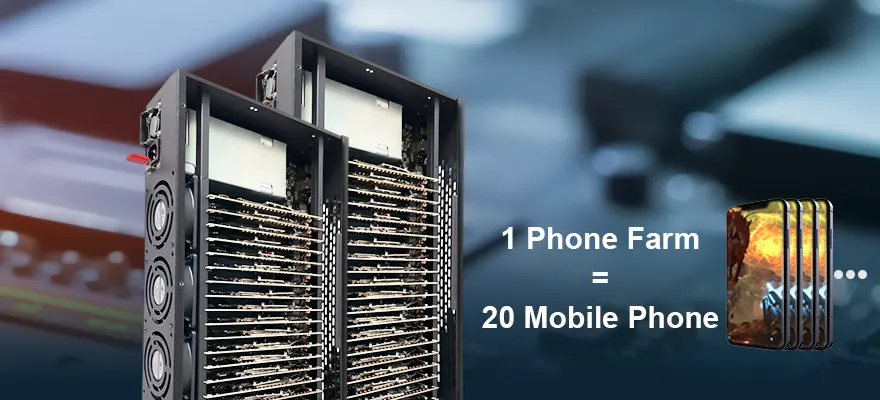
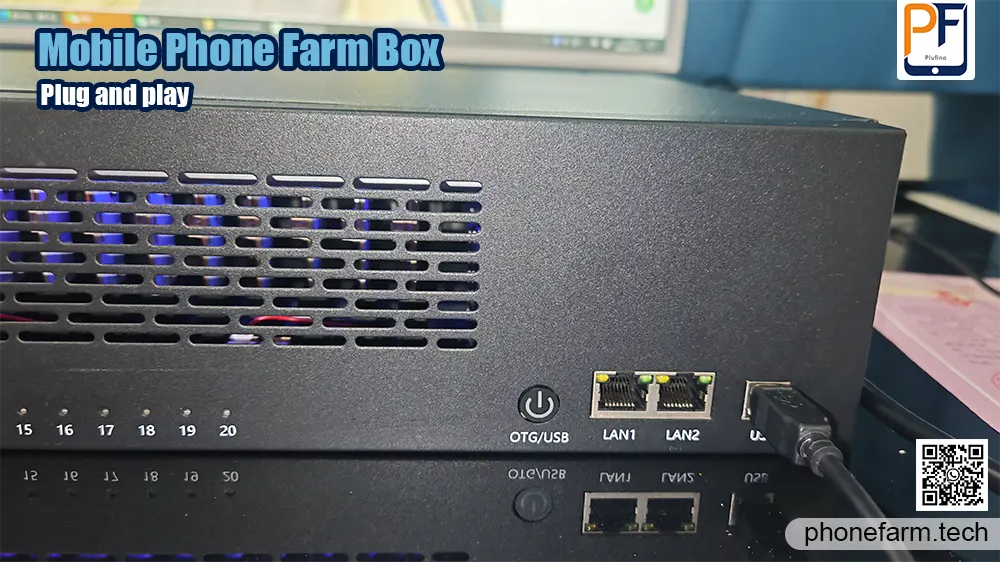
That search for reliability led me to HoweVis and their purpose-built solutions. For my farm, I chose the S8 Reliable Phone Farm – 20-Node Snapdragon 835 from their website, phonefarm.tech, and it completely turned things around.
This model is marketed as “The Balanced Performer,” and that’s exactly what it is. Here’s why it was the right choice for scaling up my operation:
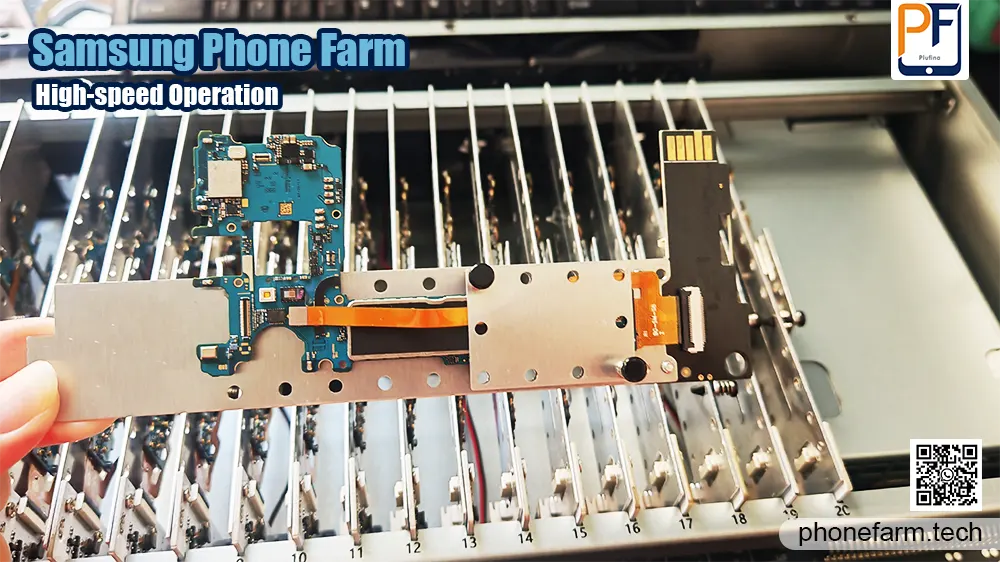
- Trusted Performance Core: It comes with 20 units built on the reliable Qualcomm Snapdragon 835 platform, with 4GB RAM and 64GB storage. This was a massive leap from the entry-level phones I was using. Now, my more demanding automation scripts run smoothly without the devices freezing or crashing.
- Modern OS Compatibility: The phones run on Android 9, which solved the app compatibility nightmares I had with older versions. Almost every social media and automation tool I need works perfectly, and I see far fewer errors.
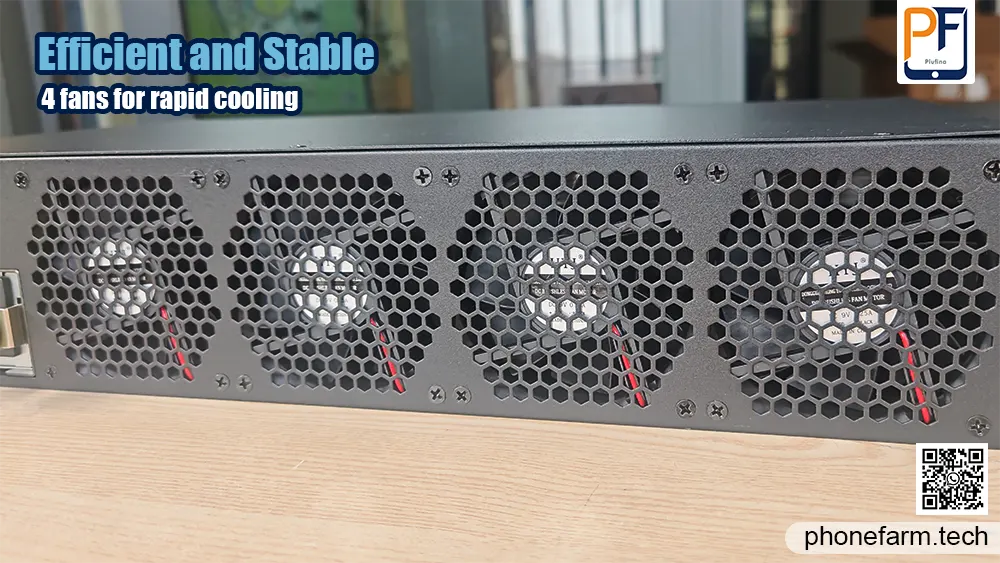
- Engineered for Uptime: The integrated 200W power supply and triple-fan cooling system are game-changers. My old setup would overheat after a few hours. This box runs 24/7 and stays cool, ensuring my social media operations across TikTok, Instagram, and YouTube never skip a beat.
Step 2: Installing the Phone Farm Software
Hardware alone doesn’t do much. You need proper phone farm software to control everything. After trying several options, I settled on Plufina from phonefarm.tech.
Here’s how I got it running:
First, I connected all my phones to the computer. If you’re using OTG mode like I do, make sure your computer and all phones are on the same network. If you prefer USB connections, just plug them in directly.
Then I opened my browser and went to phonefarm.tech to download the Plufina installer. The installation took about three minutes—nothing complicated.
The one step that tripped me up initially was replacing the license file. After downloading it from the website, I had to unzip it and place it in C:\Users\YourUsername\.android. (Pro tip: make sure you replace “YourUsername” with your actual Windows username.)
A quick restart later, and I was ready to configure everything.
Step 3: Getting Connected
This is where the magic happens. After restarting my computer, I opened Plufina and started the setup.
First, I needed to find my network IP range. In Windows, I went to Network Settings, checked my Ethernet details, and saw that my router was at 192.168.0.1. That meant my range was 192.168.0.1 through 192.168.0.254.
In the software, I entered that range and clicked “Add.” If you have multiple network segments, you can add them all and then hit “One-click Scan.”
Within about 30 seconds, Plufina found all 16 phones on my network. I couldn’t believe it. After months of fighting with unreliable connections, here was a tool that just worked.
Where to Get Started
Look! I’m sharing what worked for me after months of frustration and wasted money. If you’re serious about scaling your social media management, a phone farm is the answer.
The specific setup I use—and the one I’d recommend to anyone asking—comes from HoweVis. Their products have been rock-solid for me, and their support team actually responds when I have questions.
You can find the phone farm software I mentioned at phonefarm.tech. That’s where I downloaded Plufina and got my license files sorted.
If you run into issues or just want to chat about your setup, feel free to reach out. I’m always happy to help someone avoid the mistakes I made. You can email me at [email protected].
What’s Next for Phone Farms in 2026
The technology keeps getting better. We’re seeing AI integration that makes automation even smarter—phones that can actually understand content and make decisions about when and what to post.
Cloud management tools are improving too. Soon, we’ll be able to control massive phone farms from anywhere without needing a physical computer always running.
But honestly? The setup I have right now works perfectly for my needs. It’s stable, it’s scalable, and it’s saved my sanity.