


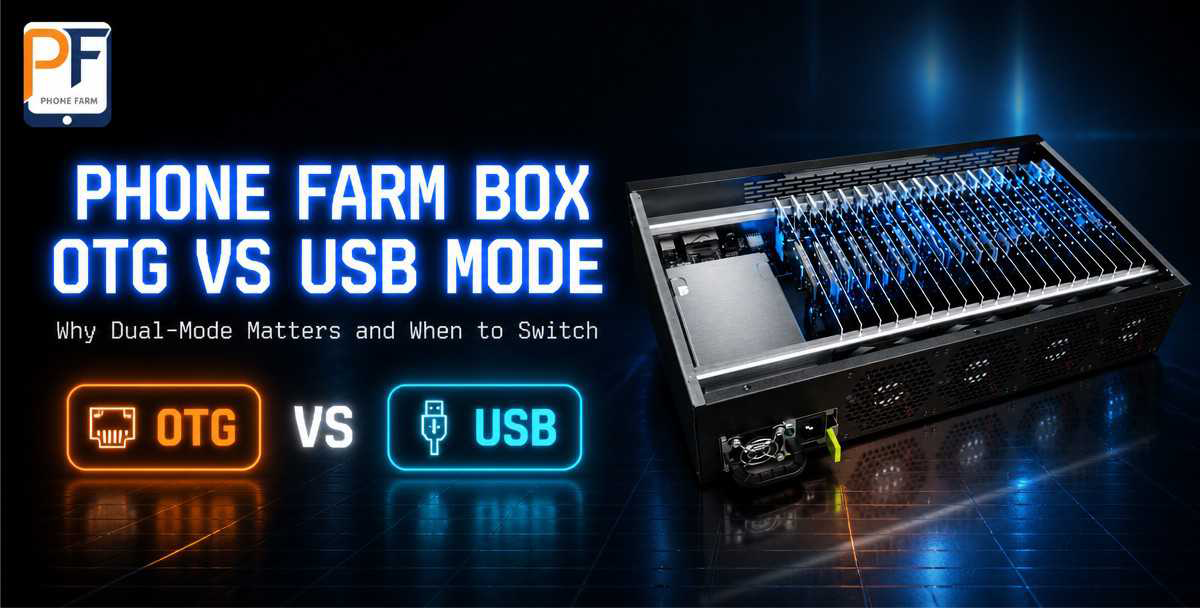
Your phone farm box has a small button labeled OTG/USB. Most owners never touch it. They plug everything in with USB cables, the way they always have, and assume the button is some kind of advanced mode for people with bigger setups.
Here’s the thing: for most farms of 10 nodes or more, OTG mode isn’t the advanced option. It’s the practical one. This article explains what OTG mode actually does, when to use it instead of USB, and how to fix the four connection problems that make people give up on it.
The 30-second answer
| OTG mode | USB mode | Wi-Fi mode | |
|---|---|---|---|
| How nodes connect | Through the box’s network port (ADB over network) | USB hub to your computer | Wi-Fi, device by device |
| Cables for 20 nodes | 1 Ethernet cable | 20+ USB cables | None |
| Best for | 10+ nodes, permanent racks, 24/7 | Small setups, quick testing | Mobile/portable use |
| Typical failure point | Network config, IP conflicts | Loose cables, hub ports dying | Signal drops, invisible in logs |
| What we ship on our boxes | Standard | Standard | Optional |
That’s the whole decision. Under ten nodes on a desk, USB is fine. Ten nodes or more that run around the clock, you want the box on your network, not on your desk.
What OTG mode actually is
OTG mode on a phone farm box means the motherboards inside talk to your control software over the network instead of through USB cables. The box acts as the bridge: each phone connects to an internal hub, the hub connects to the box’s network port, and your software finds every phone by IP address.
The technical name for this is ADB over TCP/IP — the same ADB you already know, but routed through the network port instead of a USB socket. Plufina’s control software uses port 5555 for this by default, which is the standard ADB port.
Two consequences follow from that, and both surprise new owners:
- Your computer and the box must be on the same network. OTG mode is not plug-and-play across networks. If your laptop is on Wi-Fi and the box is wired to a different router, the phones will not show up. This is the #1 cause of “OTG doesn’t work.”
- You don’t need to see the phones physically. Once the box is on the network, you can control all 20 nodes from another room, another floor, or — with the right network setup — another city.
When OTG beats USB
Three situations, in order of how often we hear them from customers:
Your farm runs 24/7. USB hubs die. Not dramatically — a port stops passing data quietly, one day a node just vanishes, and you spend an hour reseating cables. A network connection doesn’t have that failure mode. The box’s LAN port either works or it doesn’t, and you’ll know immediately.
You’re scaling past one box. Run two boxes side by side with USB and you’ve got 40+ cables to manage and two hubs full of ports that will eventually fail. Run them over the network and you add one Ethernet cable per box. Same for a third box. And a fourth.
You want to control the farm remotely. USB physically ties the phones to one computer. Network mode doesn’t. This matters more than people think: the whole point of a phone farm is that it runs while you’re not standing next to it.
When USB still wins
Keep USB mode for the early days. First box, first week, still learning the software — USB is simpler, and there’s one less variable (the network) when you’re debugging a new setup. Also, if you’re doing one-off testing with a handful of devices, don’t over-engineer it.
How to switch your box to OTG mode
On Plufina boxes it’s a two-step process:
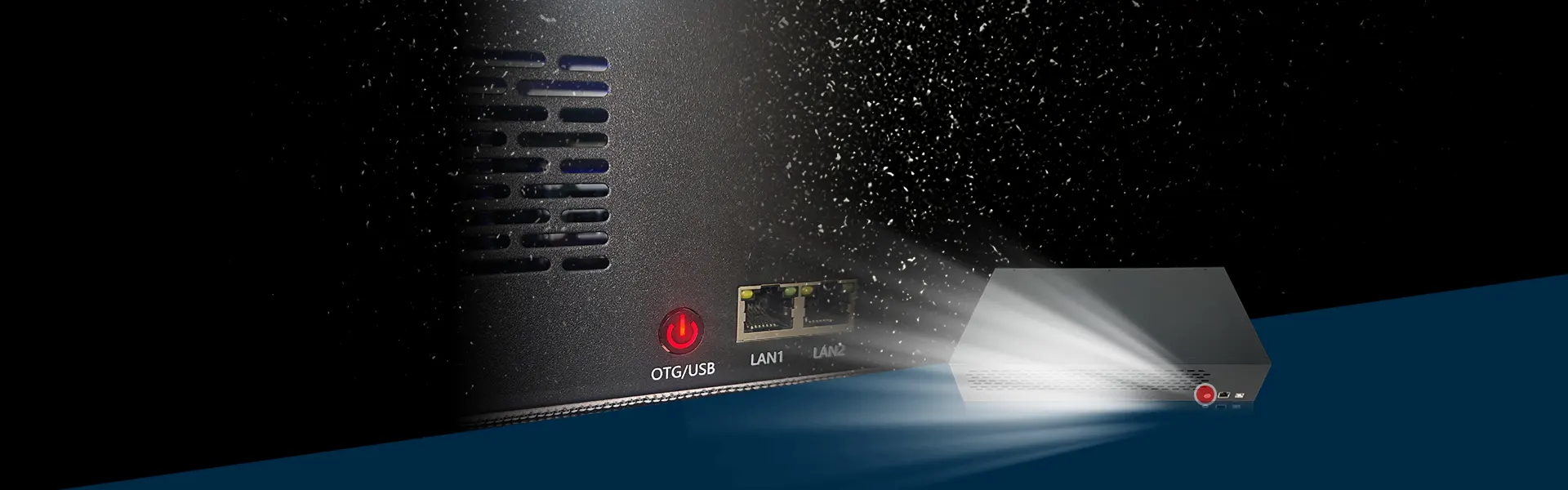
- Press the OTG/USB button on the back of the box twice. The red indicator lights up when OTG is active.
- In the Plufina software, open the OTG tab, enable the network port (default 5555), and scan for devices. The software finds every node on the box’s network segment.
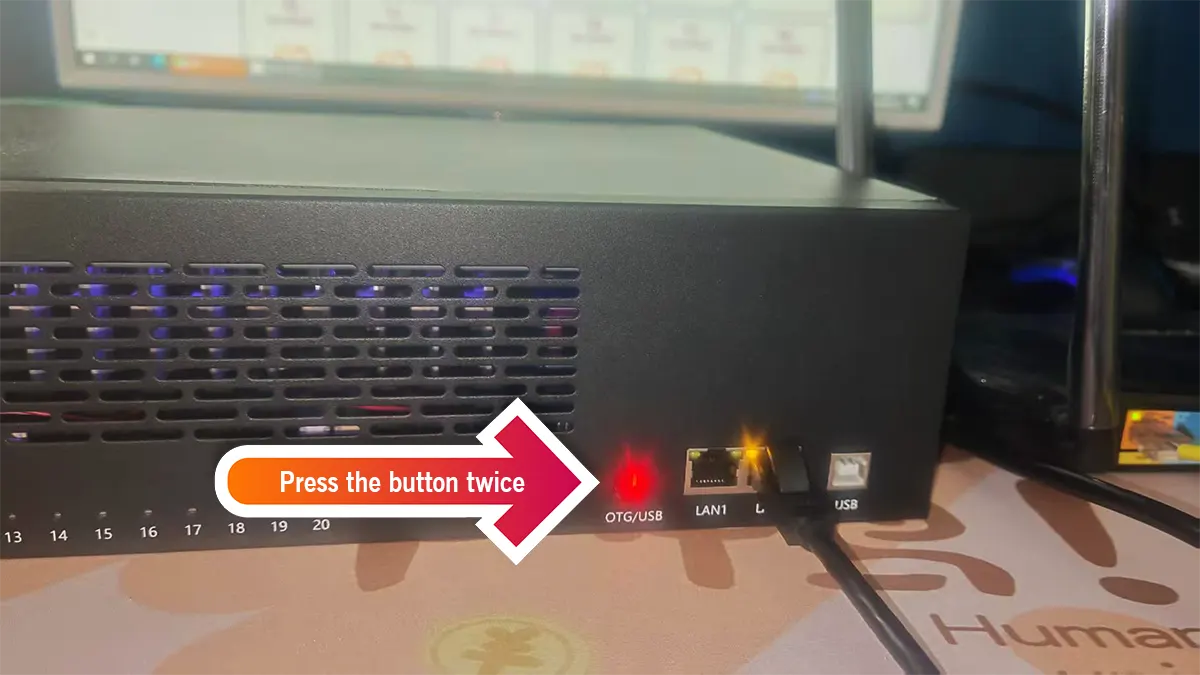
That’s it. No per-phone configuration. The box handles the internal addressing; your only job is making sure the box and your computer share a network.
Troubleshooting: the four problems that make people give up
| Symptom | Cause | Fix |
|---|---|---|
| Phones don’t appear in the software | Computer and box on different networks | Put both on the same router/subnet, or add the box’s IP range manually in the software |
| Some nodes show up, others don’t | Loose internal connection from shipping, or a node still in USB mode | Reseat the node’s cable; check the node is switched to OTG mode |
| Connection drops after a few minutes | IP conflict, or the box’s address changed | Reserve a static IP for the box in your router settings |
| Software says “phone disconnected” | Node lost ADB authorization after a reboot | Re-authorize the node in the software once; it holds after that |
Nine out of ten “OTG doesn’t work” tickets we get are the first row: same-network issue. Fix that first, before you touch anything else.
Why we build dual-mode boxes
Every Plufina phone farm box ships with both connection paths — the OTG/USB button on the rear panel, dual LAN ports, and a USB hub path — because we don’t know how you’ll run it. We’ve shipped boxes to agencies that run 80 nodes on the network and to testers who plug one box into a laptop for an afternoon. Both are legitimate ways to work. The box shouldn’t force you to choose before you’ve even started.
What it should do is make switching painless when you do choose. That’s the design goal behind the dual-mode chassis, and it’s the answer we give every customer who asks “OTG or USB?” — start with USB to learn, switch to OTG to scale.
FAQ
Is OTG mode faster than USB?
For phone farm workloads — scripts, batch actions, screen casting — the difference isn’t meaningful. What matters is stability, and network connections are more stable at scale because they have fewer physical failure points.
Do I need a special OTG hub?
No. Our boxes have the hub built in; the OTG/USB button is on the rear panel. You only need a standard Ethernet cable between the box and your router.
Can I mix OTG and USB nodes in one box?
No — per box, it’s one mode at a time. If you’re testing a single node while the rest run over the network, that node stays in the box and follows the box’s mode.
Why does the software use port 5555?
It’s the standard ADB over TCP/IP port. If another tool on your network is already using it, the software lets you change it — just make sure the box and the software agree on the port.
Built in our factory, supported by our engineers
The OTG/USB button on your box exists because we designed and assembled the chassis ourselves — we know exactly what that switch does and what it’s wired to. If a connection problem survives the troubleshooting table above, message us and we’ll walk through it live. We answer within two hours, every day of the week.
Start with how to build a phone farm in 2026 for the full setup picture, or jump straight to Plufina’s ADB guide if you want the software side.
Talk to the engineers who build your box
Questions about OTG mode, node connections, or scaling your phone farm box? Message us — average response time under 2 hours, 7 days a week.
WhatsApp Us Email Plufina